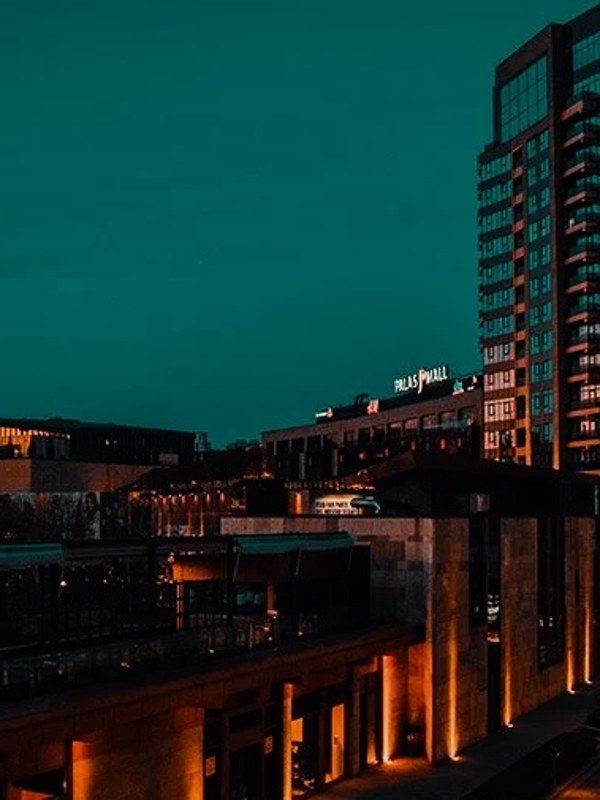
The teal and orange look — also called the orange and teal look — is the most-used color grade in modern cinema: skin tones pushed warm, shadows and backgrounds pulled cool, so faces separate from the frame. VEL_Classic_Teal_Orange is our take on it — and you can download it right now, no email required.
Download VEL_Classic_Teal_Orange.cube — Free, No Email
Want all 12 looks? Get the full free pack · Also ungated: Teal & Orange · Moody Dark · Vintage Chrome
Under the hood, teal and orange is a split-complementary grade: midtones where skin lives get rotated toward warm orange, shadows and deep backgrounds shift toward teal-cyan, and a gentle S-curve adds contrast between them. Because the two hues sit opposite on the color wheel, the eye reads instant separation — faces forward, world behind.
The grade works because skin stays anchored: VEL_Classic_Teal_Orange protects skin hues from drifting green or magenta, which is the failure mode of cheap teal-orange presets. That’s also why white balance matters so much before the LUT — a warm cast pre-LUT pushes skin past orange into red.
It rewards footage with depth: a subject separated from the background, outdoor light, water, sky. Flat, evenly-lit interior shots have nothing for the teal side to grab — that’s when you reach for VEL_Chrome_01 instead.
Travel films, action B-roll, outdoor footage with people — anywhere skin meets landscape.
Product shots on white backgrounds and flat indoor lighting — there’s no warm/cool separation to exploit. Try VEL_Chrome_01 instead.
VEL_Film_Print_01 for a warmer, more analog version of the same separation.
Right here — VEL_Classic_Teal_Orange.cube is a direct download from this page with no email or signup. It’s a standard .cube file that works in Premiere Pro, DaVinci Resolve, Final Cut Pro, CapCut, and any editor with LUT support.
It’s a complementary-color grade (you’ll see it written both ways — teal and orange, or orange and teal): skin tones are pushed toward warm orange while shadows and backgrounds shift toward teal. Because orange and teal sit opposite each other on the color wheel, faces visually pop from the background — which is why it dominates Hollywood blockbusters and high-end YouTube content.
Yes — free for monetized YouTube videos, client work, films, and social content. No attribution required.
Two usual causes: unbalanced footage (set white balance first — the LUT amplifies whatever cast exists) or full intensity. Drop the LUT strength to 60–80% in your editor and it settles into a natural cinematic look.
Professional .cube files. Free, no credit card.