Dune color grading:
how to get the look.

Denis Villeneuve's Dune and Dune: Part Two have one of the most copied looks in modern film, with soft sand-colored deserts, pale skies and skin that never looks glossy. This guide breaks down how cinematographer Greig Fraser built the Dune color grade, the palette behind it, and how to get close to it on your own footage with a free LUT.

Updated November 2026 · Closest free starting point: VEL_Golden_Cinematic.cube (Golden Hour LUT)

Dune 2021 key art with the cast above a hazy desert, showing the film's muted sand and grey-blue color palette
Dune (2021) key art with Timothée Chalamet, Zendaya, Rebecca Ferguson, Josh Brolin, Javier Bardem, Jason Momoa, Sharon Duncan-Brewster and Oscar Isaac. The cool, hazy sky over pale sand previews the film's restrained palette. Image: Warner Bros. Pictures / Legendary Pictures.

Get the free Golden Hour LUT

All movie looks · Related: Blade Runner 2049 · The Batman

The look

What makes the Dune color grade so recognizable.

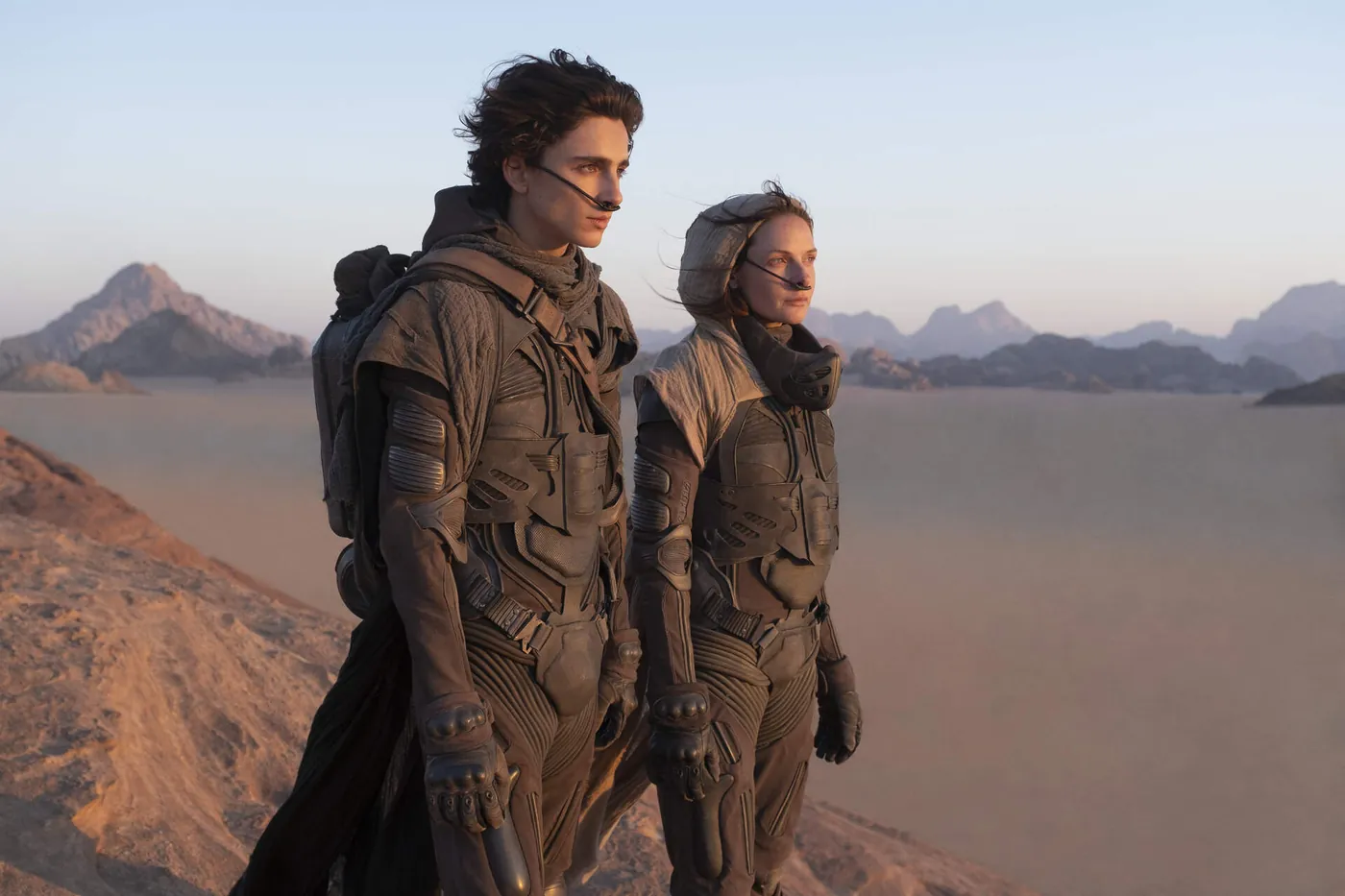
The Dune look is warm but restrained. You might expect a saturated orange desert. Arrakis is actually a pale, dusty mix of ochre, beige and bone white, under skies drained to a hazy grey-blue. Contrast is gentle, highlights roll off softly, and the image has a slightly soft, analog texture that keeps it from looking like crisp digital video.

What makes it feel so huge is how little color there is. Large parts of the frame sit in a narrow band of sand tones, so the few stronger colors, like the blue of Fremen eyes or the black armor of the Harkonnens, stand out. If you try to copy Dune with a heavy orange filter, you end up with a sunset look. The real Dune color palette is much closer to desaturated warmth.

Paul and Jessica Atreides in stillsuits on a desert ridge in Dune (2021), showing the film's soft, dusty desert color grading
Timothée Chalamet and Rebecca Ferguson as Paul and Jessica Atreides in Dune (2021). Even in warm, low sunlight the sand stays dusty and muted, and the distant mountains fade into a pale haze. Image: Warner Bros. Pictures / Legendary Pictures.
Arrakis sand
#C9A27A
Dust ochre
#A8875F
Bone white
#E8DCC8
Hazy sky
#B9C1C4
Shadow brown
#4A3A2C
Fremen blue
#3E6F9E

Approximate palette sampled by eye for reference. These are not official values from the film.

Behind the camera

Villeneuve, Greig Fraser and the film‑out.

Denis Villeneuve and Greig Fraser

Dune (2021) was directed by Denis Villeneuve and shot by cinematographer Greig Fraser, who won the Academy Award for Best Cinematography for it. Fraser returned for Dune: Part Two (2024), so both films share the same visual language. The cast includes Timothée Chalamet as Paul Atreides, Zendaya as Chani, Rebecca Ferguson, Oscar Isaac, Josh Brolin and Javier Bardem, with Austin Butler and Florence Pugh joining in Part Two.

Shot on digital, then printed to film

Before production, Fraser and Villeneuve tested 35mm and 65mm film against several digital formats. They chose the ARRI Alexa LF, a large-format digital camera, but felt the raw digital image was too sharp while pure film felt too nostalgic for science fiction. The answer was a film-out. The graded digital footage was recorded onto film and then scanned back to digital, which gave Dune its soft, slightly analog texture.

Colorist Dave Cole and FotoKem

The grade was led by FotoKem senior colorist Dave Cole, who worked with Fraser from the early testing stage. FotoKem later turned the digital-to-film-and-back workflow into a process called SHIFT, and Fraser used it again on The Batman.

Real deserts and real light

Much of Arrakis was filmed on location in the deserts of Jordan and Abu Dhabi, so the sand, haze and harsh sun you see are real. You can feel that natural light in every frame. A LUT can move your colors toward Dune, but the soft, sandy light has to come from the location.

Scene by scene

The different looks inside Dune.

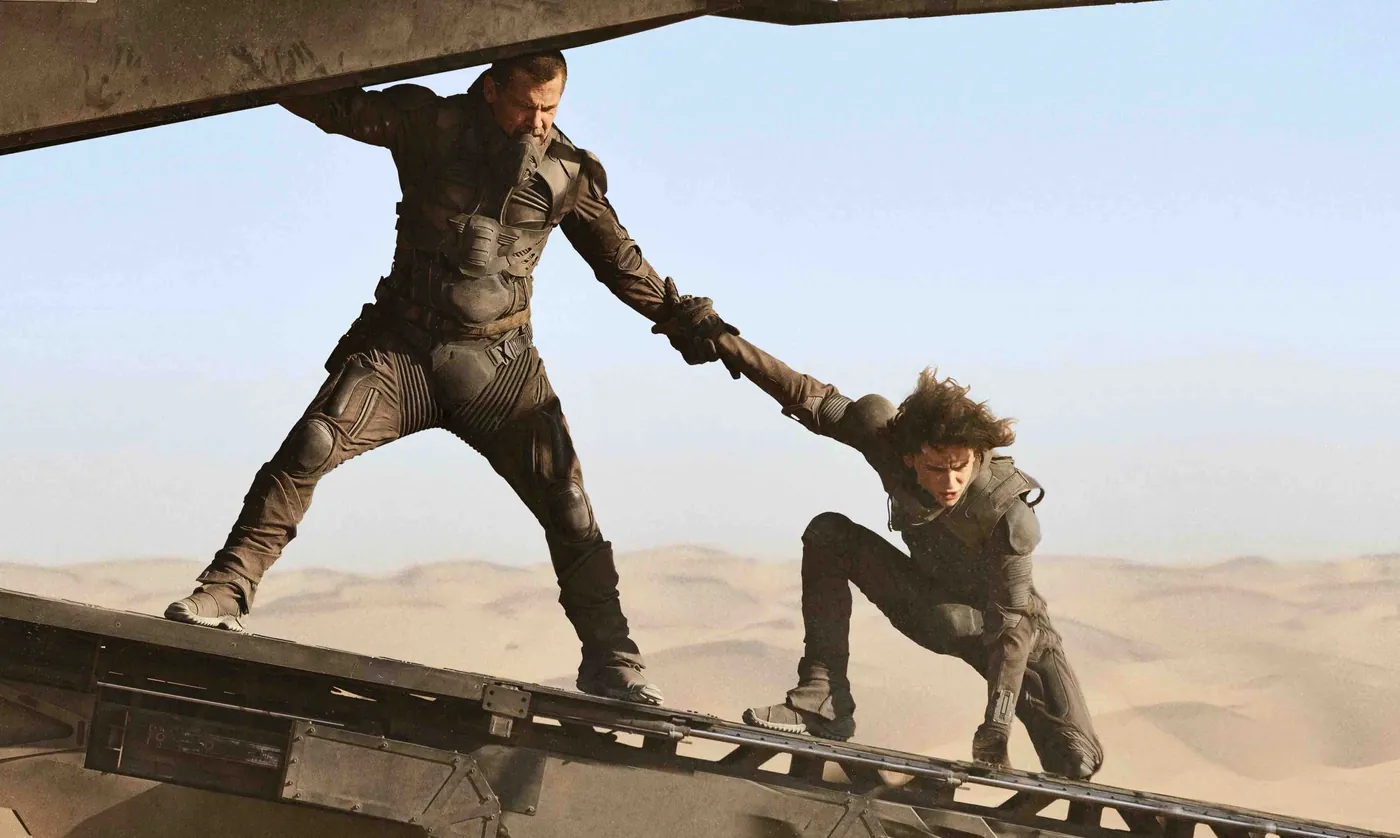
Gurney Halleck pulling Paul Atreides up onto a vehicle above the Arrakis dunes in Dune (2021), in bright, hazy daylight with pale sand tones
Josh Brolin and Timothée Chalamet as Gurney Halleck and Paul Atreides in Dune (2021). Typical Arrakis daylight: a pale blue sky, beige dunes and costumes in the same muted browns as the sand. Image: Warner Bros. Pictures / Legendary Pictures.

Arrakis by day

Pale sand, bleached highlights and a sky drained to grey-blue. The sun is often high and hard, but the grade keeps it soft by holding the brightest areas just below pure white and keeping saturation low.

Caladan

The Atreides home world is the opposite of Arrakis: cool, overcast and green-grey, with rain and a dark sea. These scenes were filmed in Norway, and their muted cold palette makes the first sight of the desert feel even hotter.

Giedi Prime in black and white

In Dune: Part Two, the Harkonnen home world is shown in stark black and white under a black sun, shot with infrared so that skin turns pale and almost glowing. Austin Butler's Feyd-Rautha is introduced in these scenes. For that look, start from the Black & White LUT.

Night and interiors

Interiors are dim and low-key, lit by a single soft source. Shadows fall off into deep brown and almost never reach pure black. Even inside, the palette stays in earthy browns and greys, which keeps the whole film feeling like one world.

Get the look

How to get the Dune look with a free LUT.

There's no official Dune LUT, and no single preset can copy a look that was built from real deserts, an ARRI Alexa LF and a film-out. You can still get surprisingly close by starting from the right free LUT and making a few targeted adjustments in Premiere Pro, DaVinci Resolve, Final Cut Pro or CapCut.

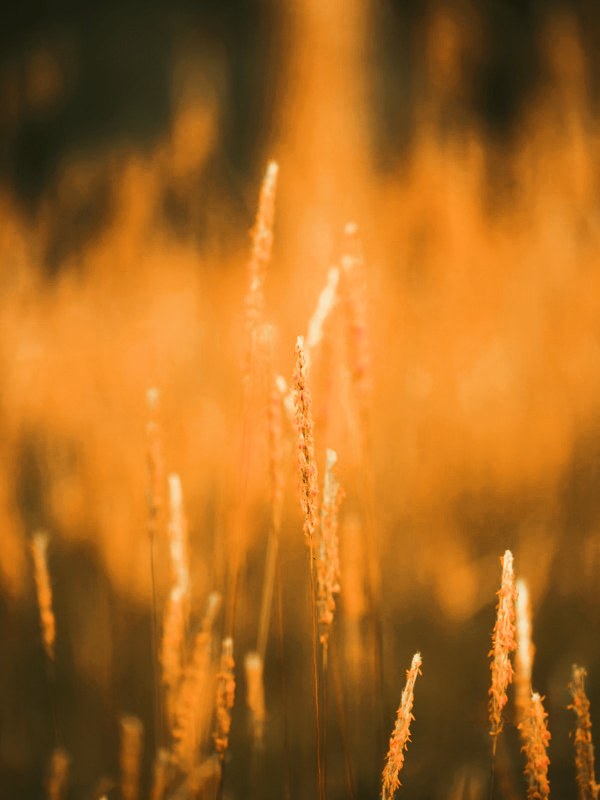
Golden hour LUT on backlit wild grass glowing amber in low evening sun
Free starting point
Golden Hour LUT (VEL_Golden_Cinematic.cube)

Its low-sun amber pushes footage in the right warm direction for Arrakis. On its own it's too golden, so the steps below dry it out into Dune's dusty palette.

Get the free Golden Hour LUT →
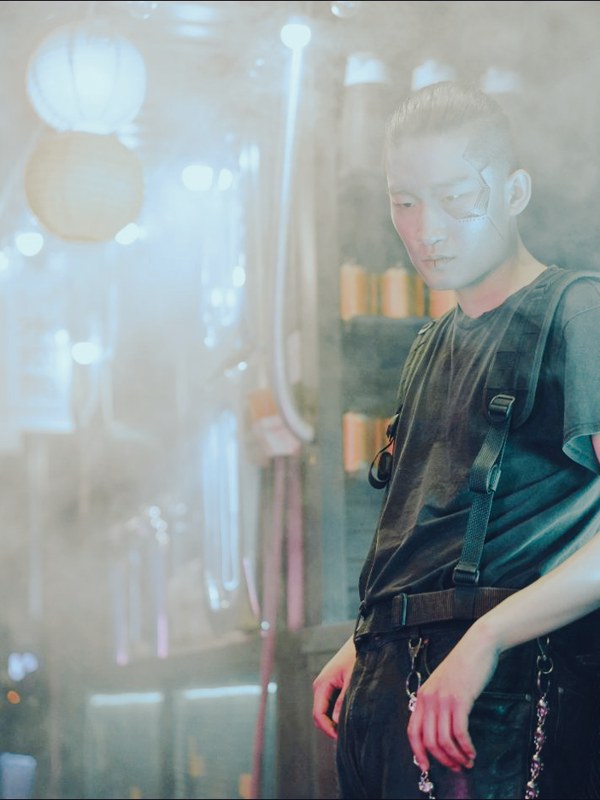
Faded film LUT on a portrait in a hazy bar, with matte lifted blacks and muted color
Free starting point
Faded Film LUT (VEL_Film_Fade.cube)

Stack it at low strength on top for the soft contrast and slightly lifted blacks of the film-out.

Get the free Faded Film LUT →

1. Start from a neutral, slightly flat image

Correct exposure and white balance first, and convert log footage to Rec.709. The Dune look is subtle, and it falls apart on footage that's already very warm or contrasty.

2. Apply Golden Hour at about 40 to 50%

This adds warmth to the midtones and highlights without turning the image orange. Going higher quickly drifts into a sunset look.

3. Pull overall saturation down by 15 to 25%

Of all the steps, this one does the most. Sand should feel dusty and pale, so keep lowering saturation until the warm tones read as beige and ochre. If you still see orange, keep going.

4. Drain the blue from the sky

Use an HSL or hue-vs-saturation adjustment to lower the saturation of the blues and raise their brightness slightly. A pale, hazy grey-blue sky is one of the strongest signatures of the Dune color grading.

5. Soften contrast and lift the blacks a little

Add the Faded Film LUT at around 20 to 30%, or raise the shadows slightly with a curve. The aim is the gentle, analog contrast of the film-out, without making the image look washed out.

6. Reduce sharpening and add fine grain

Turn off any extra sharpening and add a fine grain at low opacity. Dune doesn't look grainy in the cinema, but this small amount of texture removes the crisp edge that gives digital footage away.

Shooting for the Dune look.

Find sand, stone and dust

Beaches with dunes, quarries, dry fields and concrete all work. Locations that are naturally pale and earthy do most of the work before the grade.

Shoot in bright, hazy daylight

Dune isn't a golden hour film. Bright, slightly hazy conditions give the pale, bleached feeling, while low evening sun pushes everything too orange.

Frame for scale

Villeneuve often places tiny figures in enormous landscapes. Wide drone shots and long-lens shots of a lone person against the horizon give you that epic feel, and no color setting can fake it.

Dress in earth tones and black

Sand, brown, rust and black clothing in flowing fabrics fit the world. Bright synthetic colors break the restrained palette straight away.

✦ Master Grade LUT Collection

Want more desert looks?

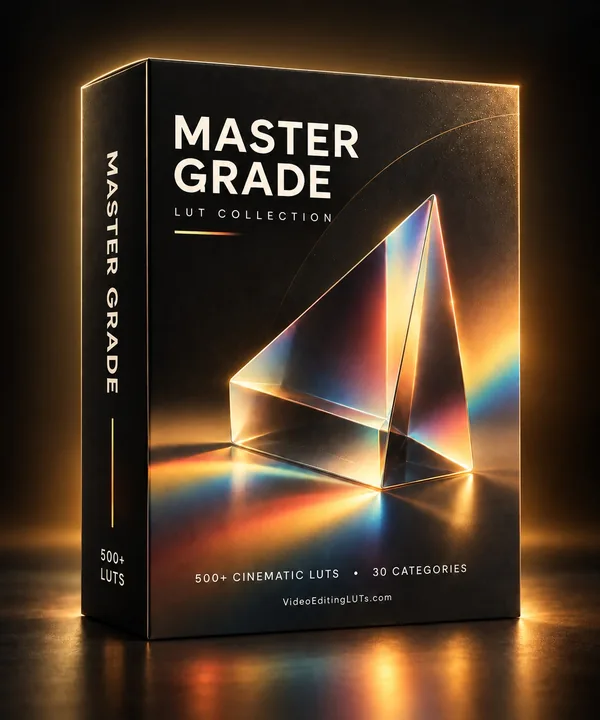
The Golden Hour LUT gets you close to Arrakis. The Master Grade Collection has a whole Desert category, plus Atmospheric and Film looks for that soft, hazy, scanned-back feel. It also comes with the Color Grading Fundamentals handbook, so your footage is corrected before any LUT goes on.

DesertAtmosphericFilmCinematicHollywood
Get the Master Grade Collection
Master Grade LUT Collection box: 500+ cinematic LUTs in 30 categories
FAQ

Dune color grading questions.

What color grading did Dune use?

Dune was shot digitally on the ARRI Alexa LF, graded by FotoKem colorist Dave Cole, then recorded to film and scanned back to digital. The result is a soft, desaturated warm palette of sand, ochre and pale grey-blue sky.

Who was the cinematographer of Dune?

Greig Fraser shot both Dune (2021) and Dune: Part Two (2024) for director Denis Villeneuve, and won the Academy Award for Best Cinematography for the first film.

Is there a free Dune LUT?

There's no official Dune LUT. The closest free starting point here is the Golden Hour LUT at about 40 to 50%, with saturation lowered and the sky desaturated as described above.

How do I make my video look like Dune in CapCut?

Import the Golden Hour .cube under Adjust, then LUT, set the intensity to around 40 to 50, lower saturation, and cool and desaturate the blues. A light film grain effect finishes the look.

Why does Dune look so soft?

Mostly because of the film-out. Recording the digital footage to film and scanning it back softened the sharp digital edges and added a subtle analog texture.

What are the main colors in the Dune palette?

Pale sand, dusty ochre, bone white, hazy grey-blue sky and deep brown shadows, with occasional accents of Fremen blue and Harkonnen black.

Was Dune: Part Two graded the same way?

It kept the same team and approach, with Greig Fraser behind the camera, and added the striking infrared black and white sequences on Giedi Prime.

This guide describes the look of Dune and Dune: Part Two for educational purposes. VideoEditingLUTs isn't affiliated with or endorsed by Legendary Pictures, Warner Bros. or the filmmakers. The free LUTs we recommend here are our own general looks, and none of them were made from the film itself.

Free Download

12 free LUTs.
Every look covered.

Professional .cube files. Free, no credit card. Browse every style:

Teal & Orange Vivid Teal Cinematic Golden Hour Sunset Warm Pastel Vintage Film Faded Film Moody Dark Moody Blue Black & White

Browse all 12 stylesDownload the free pack