Free LUTs

Free Pastel LUT.

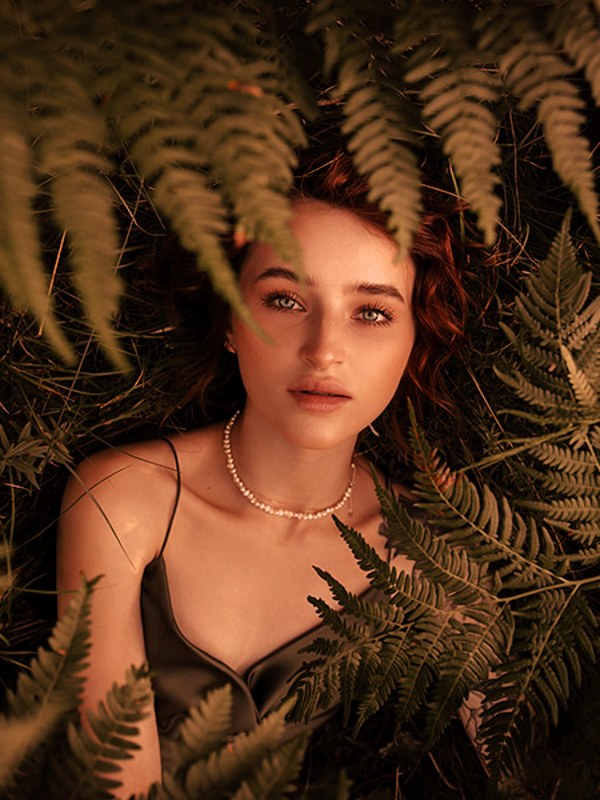
A pastel grade lifts the whole image into soft, light, low-contrast color — gentle pinks and creams, airy highlights, and muted saturation for that dreamy, aesthetic look popular on lifestyle and fashion content. VEL_Warm_Pastel is our take, and it is a direct download with no email.

Download VEL_Warm_Pastel.cube — Free, No Email

Want all 12 looks? Get the full free pack · Prefer a different look? Warm · Faded Film · Golden Hour

pastel LUT applied to travel footage — before and after color grade
Guide

How to get the pastel look.

  1. Download the .cube file
    VEL_Warm_Pastel.cube downloads straight from the button with no signup, and it ships in the free 12-LUT pack.
  2. Balance your footage first
    Pastel works from a bright, clean base, so expose a touch brighter and neutralize white balance first. Starting bright lets the airy highlights bloom instead of going grey.
  3. Apply in your editor
    Load it via Lumetri Creative in Premiere Pro, the Color-page LUT list in DaVinci Resolve, a Custom LUT in Final Cut Pro, or Adjust → LUT in CapCut.
  4. Dial it back to taste
    It is soft by nature; if a clip needs a little more life, run it at 70–85% so some contrast returns.

How the look is built

A pastel grade raises the black point, lowers contrast, and desaturates toward soft, chalky color, then adds a gentle pink-cream tint to the highlights. Nothing in the frame is deep or vivid — the whole image floats in a light, airy, slightly faded register, which is what gives it that soft aesthetic feel.

The trick is keeping it soft without turning it grey. VEL_Warm_Pastel holds a warm bias so the muted colors stay pleasant rather than dull, and keeps skin gently rosy instead of washed out. Push a pastel look too far and it just looks underexposed; kept in balance, it looks intentional and modern.

It suits bright, light footage — daylight portraits, fashion, lifestyle, product flat-lays, anything airy. Dark or high-contrast footage resists it, because the grade wants to lift and soften what is already deep, and the two fight. Shoot or grade bright first, then let the pastel float it.

Quick picks

Where this works best.

Where it shines

Fashion and beauty, lifestyle and daylight vlogs, flat-lays and product content, soft daytime portraits — bright, airy footage.

Where to skip it

Dark, moody, or high-contrast footage; the pastel lift flattens the drama you wanted. Use Moody Blue or Moody Dark there instead.

Pairs well with

Warm Film for a slightly richer version of the same softness, or Golden Hour when you want warmth with more glow and contrast.

FAQ

pastel LUT questions.

How do I get a soft pastel look in my video?

Lift the blacks, lower contrast, desaturate slightly, and add gentle pink-and-cream tones so the image feels soft, light, and aesthetic. A pastel LUT like VEL_Warm_Pastel applies that airy grade in one click, free and no email. It reads best on bright, well-exposed footage — dark, contrasty clips have less room to go soft.

How do I get a pastel aesthetic in CapCut or on my phone?

Download the free .cube file, then in CapCut go Adjust → LUT, import it, and lower the intensity for an even softer look. The same file works in Premiere Pro, DaVinci Resolve, and Final Cut Pro.

Where can I download a free pastel LUT?

Right here — VEL_Warm_Pastel.cube is a direct download with no email or signup, in .cube format for Premiere Pro, DaVinci Resolve, Final Cut Pro, CapCut, and any LUT-capable editor.

What is the pastel look?

It is a soft, light, low-contrast grade with lifted blacks, muted saturation, and a gentle pink-cream tint. It gives footage a dreamy, airy, aesthetic feel that suits fashion, lifestyle, and bright daytime content.

Is this pastel LUT free for commercial use?

Yes — free for monetized videos, client work, and social content, with no attribution required.

Why does the pastel LUT look grey or flat on my footage?

Pastel needs a bright base. If your footage is dark or underexposed, the lift just turns it grey. Raise your exposure and set a clean white balance before applying, and keep the LUT near full strength for the airy look.

Free Download

12 free LUTs.
Every look covered.

Professional .cube files. Free, no credit card. Browse every style:

Teal & Orange Vivid Teal Cinematic Golden Hour Sunset Warm Pastel Vintage Film Faded Film Moody Dark Moody Blue Black & White

Download the Free Pack