Free LUTs

Free Sunset LUT.

A sunset grade saturates the sky into warm gold and pink while deepening the water and shadows into rich teal — the high-contrast, high-color version of magic hour. VEL_Sunset_Glow is punchier than a plain warm LUT, and it is a direct, no-email download.

Download VEL_Sunset_Glow.cube — Free, No Email

Want all 12 looks? Get the full free pack · Prefer a different look? Golden Hour · Warm · Teal & Orange

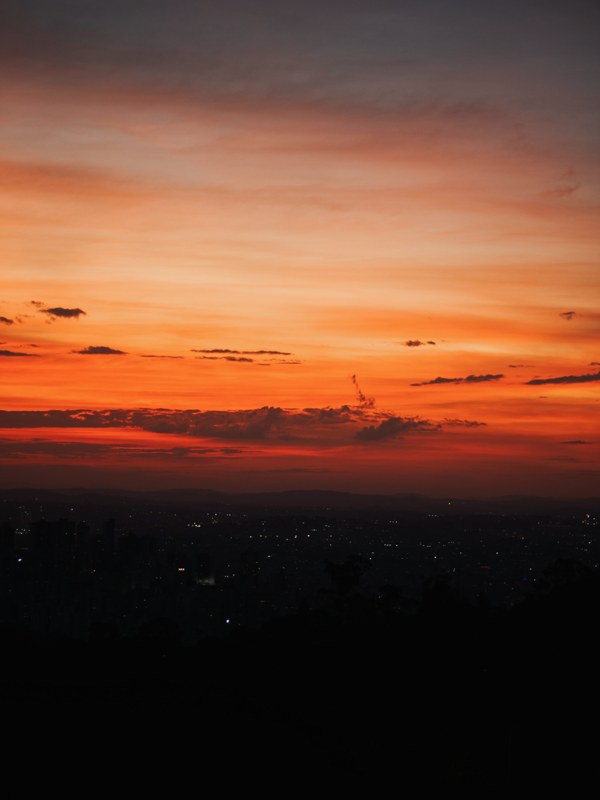
sunset LUT applied to travel footage — before and after color grade
Guide

How to get the sunset look.

  1. Download the .cube file
    Grab VEL_Sunset_Glow.cube from the button, no signup, or take the full 12-LUT pack for free.
  2. Balance your footage first
    Correct exposure and white balance first; the sunset grade is saturated, so it amplifies whatever cast is already there. From neutral, the golds and teals land where they should.
  3. Apply in your editor
    Add it in Premiere Pro under Lumetri → Creative, in DaVinci Resolve from the Color-page LUT list, in Final Cut Pro as a Custom LUT, or in CapCut via Adjust → LUT.
  4. Dial it back to taste
    This one runs bold. For a natural magic-hour feel rather than a poster, sit it around 60–75%.

How the look is built

A sunset grade is a warm-cool split with the saturation turned up. Skies and highlights push into gold, orange, and a touch of pink; water, foliage, and shadows deepen toward teal; and overall saturation lifts so the whole frame glows. It takes the natural palette of magic hour and makes it unmissable.

The saturation is the point and the risk. Pushed hard it makes a good sunset spectacular; pushed onto flat midday footage it looks artificial, because there is no real warm light for the grade to justify. VEL_Sunset_Glow protects skin from oversaturating even as the sky ignites, which keeps people in the frame looking real.

It rewards footage that already has sky, water, or open landscape — the surfaces that carry its warm-cool contrast. Interiors and close-ups have less for it to work with, so it reads as a heavy color wash there rather than a lighting effect.

Quick picks

Where this works best.

Where it shines

Beach, travel, and drone footage, sunset and outdoor b-roll, wide landscapes — anywhere there is sky and water to saturate.

Where to skip it

Interiors, close-up product shots, and flat overcast footage; the saturation has nothing natural to hang on. Try Warm Film for a softer indoor warmth.

Pairs well with

Golden Hour for a gentler version of the same warmth, or Teal & Orange when you want the split without the extra saturation.

FAQ

sunset LUT questions.

How do I get a sunset look in my video?

Warm the highlights and midtones toward orange and pink while keeping the shadows cool, so the sky glows and the frame reads like magic hour. A sunset LUT like VEL_Sunset_Glow applies that warm-sky, cool-shadow grade in one click, free and no email. It shines on skies, water, and open scenes; ease it back to 60–80% on close-ups.

How do I get a sunset look in CapCut or on my phone?

Download the free .cube file, open CapCut, tap Adjust → LUT, import it, and lower the intensity. The same file works in Premiere Pro, DaVinci Resolve, and Final Cut Pro, so your phone and desktop grades match.

Where can I download a free sunset LUT?

Right here — VEL_Sunset_Glow.cube is a direct, no-email download in .cube format, ready for Premiere Pro, DaVinci Resolve, Final Cut Pro, CapCut, and any editor with LUT support.

What does a sunset LUT do to footage?

It saturates highlights and skies toward warm gold and pink while deepening shadows and water into teal, then lifts overall saturation so the frame glows like magic hour. It is a bolder, more colorful take than a plain warm LUT.

Is this sunset LUT free for commercial use?

Yes — free for monetized videos, client work, films, and social content, with no attribution required.

The sunset LUT looks too intense — how do I tone it down?

Lower the LUT strength to around 60 percent and make sure your footage is exposed and white-balanced neutrally first. The grade is saturated by design, so a little goes a long way on footage not shot in real golden light.

Free Download

12 free LUTs.
Every look covered.

Professional .cube files. Free, no credit card. Browse every style:

Teal & Orange Vivid Teal Cinematic Golden Hour Sunset Warm Pastel Vintage Film Faded Film Moody Dark Moody Blue Black & White

Download the Free Pack