Free LUTs

Free Warm LUT.

A warm grade wraps footage in soft amber and gentle contrast for a cozy, inviting, faintly analog feel — think coffee-shop vlogs, autumn light, and lifestyle b-roll. VEL_Warm_Film keeps the warmth soft rather than orange, and it downloads instantly with no email.

Download VEL_Warm_Film.cube — Free, No Email

Want all 12 looks? Get the full free pack · Prefer a different look? Golden Hour · Pastel · Faded Film

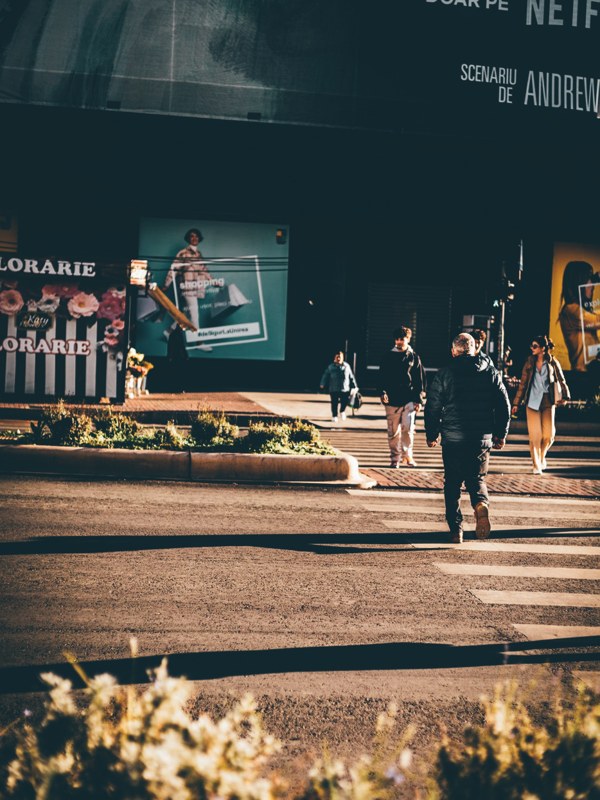
warm LUT applied to travel footage — before and after color grade
Guide

How to get the warm look.

  1. Download the .cube file
    VEL_Warm_Film.cube is a direct download above, no signup, and it ships inside the free 12-LUT pack too.
  2. Balance your footage first
    Because warmth stacks on warmth, neutralize your white balance before you apply — otherwise a warm room pushes the LUT into heavy orange. Neutral first, warmth second.
  3. Apply in your editor
    In CapCut, tap Adjust → LUT; in Premiere Pro it lives under Lumetri → Creative; in DaVinci Resolve use the Color-page LUT list; in Final Cut Pro add a Custom LUT effect.
  4. Dial it back to taste
    It is a soft grade by design, but on very warm footage you may want it at 60–80% so skin stays natural.

How the look is built

A warm film grade adds a low-saturation amber wash across the midtones, softens contrast slightly, and rolls the highlights off gently instead of letting them clip. The effect is less sunset and more warm memory — the color of a room with the lamps on, not the color of a fire.

The softness is what keeps it usable everywhere. A crude warm filter just slides everything toward orange; VEL_Warm_Film lifts warmth into skin and mid-tones while holding a little coolness in the deepest shadows, so the frame feels warm rather than tinted. Faces stay healthy instead of sunburnt.

It flatters interior and low-contrast footage the most, where its gentle contrast and amber lift add mood the camera flattened out. On already-bright, high-contrast sun it can tip warm quickly, so ease it back there or move to Golden Hour, which is built for direct sun.

Quick picks

Where this works best.

Where it shines

Vlogs, lifestyle and food content, indoor and window-lit scenes, autumn footage — anywhere a cozy, soft-warm mood fits.

Where to skip it

Cool, clinical, or high-key footage meant to feel crisp and modern; the warmth muddies it. Use Cinematic Teal or a plain Teal LUT there.

Pairs well with

Faded Film for a more vintage version of the same warmth, or Golden Hour when the footage has real direct sunlight to amplify.

FAQ

warm LUT questions.

How do I get a warm, cozy look in my video?

Nudge the white balance and midtones toward amber, keep contrast soft, and let skin tones stay natural so the frame feels inviting rather than orange. A warm LUT like VEL_Warm_Film applies that cozy film warmth in one click, free and no email — balance your footage first so the warmth reads intentional, not like a color cast.

How do I get a warm look in CapCut or on my phone?

Import the free .cube file in CapCut under Adjust → LUT, apply it, and set the strength to taste. The same file loads in Premiere Pro, DaVinci Resolve, and Final Cut Pro for the identical warm grade on desktop.

Where can I download a free warm LUT?

Right here — VEL_Warm_Film.cube downloads directly from this page with no email or signup, as a standard .cube for Premiere Pro, DaVinci Resolve, Final Cut Pro, CapCut, and any LUT-capable editor.

What is the difference between a warm LUT and a golden hour LUT?

A warm LUT adds a soft, all-over amber coziness suited to indoor and everyday footage. A golden hour LUT is stronger and more directional, built to mimic low, glowing sun on already-sunlit shots. Warm is the subtler and more versatile of the two.

Is this warm LUT free for commercial use?

Yes — free for monetized videos, client work, and social content, no attribution required.

Why does the warm LUT make skin look too orange?

Warm footage plus a warm LUT compounds the color. Set white balance to neutral before applying, and lower the intensity to around 70 percent so skin keeps a natural tone.

Free Download

12 free LUTs.
Every look covered.

Professional .cube files. Free, no credit card. Browse every style:

Teal & Orange Vivid Teal Cinematic Golden Hour Sunset Warm Pastel Vintage Film Faded Film Moody Dark Moody Blue Black & White

Download the Free Pack